
Data export
Bucket data, ready for offline analysis
In Thinger.io, you can use data buckets to store and export any time-series data from your IoT devices.
Until now, the platform let you use this information in a web dashboard, or export it in CSV format for offline analysis. Working with some research centers, we have learned that CSV is great, as it is quite standard, but the timestamp the platform provided (a Unix timestamp) was not very useful or standard, at least not without some coding.
So we have reworked the export system, and it now exports the information in different file formats, with different timestamp encodings.
Formats
Three file formats, three timestamp encodings
Pick the file format and the way the timestamp is written when you export a bucket.
Export formats
- CSV (Comma Separated Values)
- ARFF (Attribute-Relation File Format)
- JSON (JavaScript Object Notation)
Timestamp encodings
- ISO date
- Unix timestamp (milliseconds)
- Unix timestamp (seconds)
Data mining
From a bucket to Weka without conversion
The new formats make the information simpler to use for analysis.
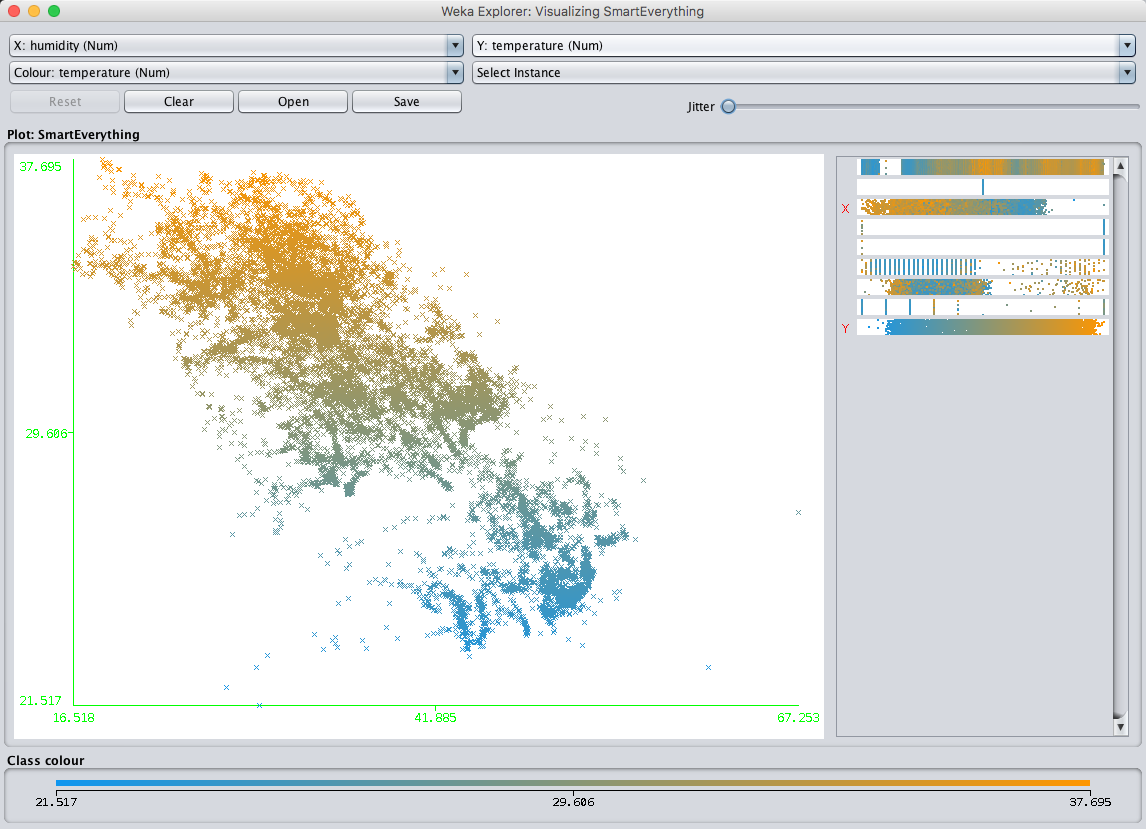
For example, the ARFF file can be used out of the box with the Weka Data Mining Software, so you can import your data bucket without any conversion process.

From there, Weka can build classifiers, create time-series forecasts or run any other data mining process on your IoT data.
Update, 2026: the bucket export still offers CSV, ARFF and JSON, with a timestamp or an ISO date, for the whole bucket or a custom range; buckets can also be filled by importing a CSV file. Details in the Data Buckets documentation.
Planning to mine your IoT data?
Did you find this new feature useful? Are you planning to use your IoT data in a data mining process? Let us know.


